verdant
How To Organize A Small Desk Without Losing Daily Essentials
In the world of compact workspaces, a small desk can quickly become a battleground of clutter. Pens spill over, notepads hide under stacks, and chargers entwine like rebellious vines. Yet, even the tiniest desk can be transformed into a serene and efficient hub of productivity—without sacrificing the daily essentials you rely on.
1. Start With a Thoughtful Declutter
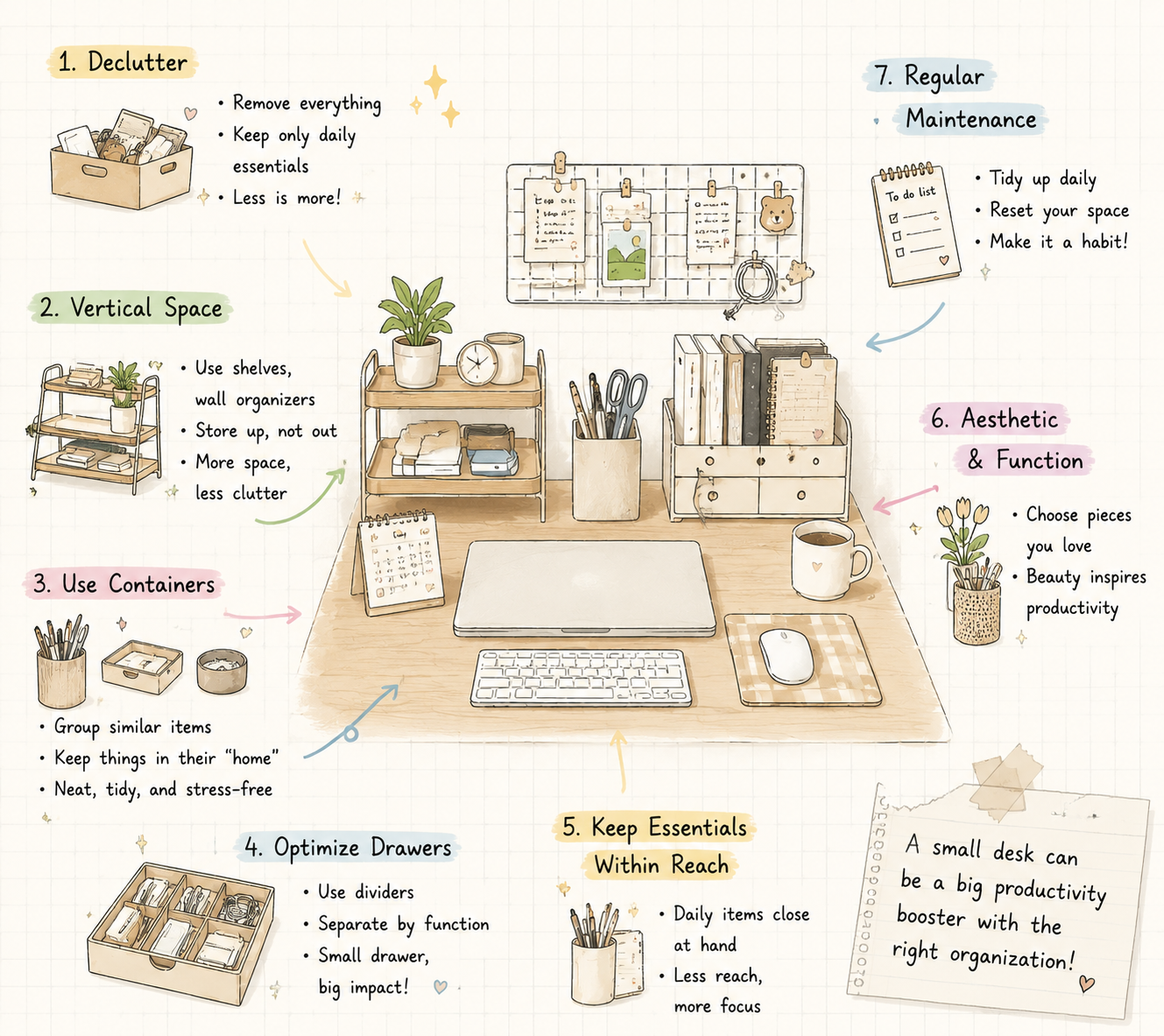
The first step to desk mastery is mindful curation. Remove everything from your surface and examine each item: do you truly use it daily? If not, it deserves a new home—drawer, shelf, or storage box. Only the tools that serve your workflow should return to your desk. This act of selective minimalism not only clears physical space but also frees your mind.
2. Embrace Vertical Space
When horizontal room is limited, look upward. Vertical organizers, tiered shelves, or even wall-mounted caddies allow you to store notebooks, planners, and stationery elegantly. Imagine a sleek pen holder elevating your favorite writing instruments, or a compact tiered tray neatly stacking sticky notes and small gadgets. Vertical storage is like giving your desk a graceful posture, creating both accessibility and visual harmony.
3. Use Containers Strategically
Containers are the unsung heroes of small desk organization. Small bowls, trays, and boxes can corral paper clips, USB drives, or charging cables. For a touch of sophistication, select containers that complement your desk aesthetic—think neutral tones, soft textures, or minimalist shapes. Each item finds a “home,” preventing the chaotic sprawl that steals focus and drains energy.
4. Optimize Drawer Space
Even a tiny drawer can work wonders with clever organization. Use dividersto separate pens from sticky notes, gadgets from chargers. Sliding compartments or stackable trays ensure every inch is functional. The result? A drawer that doesn’t just store—it showcases order, making retrieval effortless.
5. Keep Essentials Within Reach
Efficiency isn’t about removing items—it’s about arranging them thoughtfully. Your most-used items, like your favorite pen, notebook, or wireless charger, should remain within arm’s reach. Less frequently used items can be stored slightly further away. This simple choreography minimizes movement, reduces distractions, and streamlines your workflow.
6. Integrate Aesthetic and Function
Organization is not merely functional—it can be beautiful. Choose storage solutions that elevate your workspace. A crochet pen holder with a pop of color, a sleek desk tray, or an elegant cable tie can transform mundane tools into visual accents. When beauty meets function, your desk becomes a space you’re proud to spend hours at, inspiring creativity while keeping chaos at bay.
7. Regular Maintenance
Even the best system requires care. Spend a few minutes at the end of each day tidying, replacing items in their designated spots, and discarding unnecessary clutter. This simple habit ensures your desk remains both visually appealing and functionally efficient, day after day.
A small desk doesn’t mean small ambition. With thoughtful organization, a dash of aesthetic charm, and clever storage solutions, your workspace can become a sanctuary of focus, efficiency, and elegance—where every essential has its place and every tool is ready at your fingertips. As the saying goes “if you can’t tidy your own room, how can you manage the world?” So start to orgnizing your desk with Desknest products!